English version

All English browser tools

Browse all 60 English tools for PDF and image files, health, everyday and investing calculations, dates, timers, draw lots, random choices, QR codes, and text tasks. During normal use, inputs are processed locally in your browser.


Health & fitness

Explore health calculators and learn badminton, tennis, table tennis and pickleball with interactive rules diagrams. Estimate BMI, waist ratio, calories and nutrition servings with clear limits.

Category guide

Badminton Rules: Interactive Guide

Compare court boundaries, practice doubles service turns and try 21-point or new 15-point scoring with diagrams and an eight-question quiz.

Open tool

Tennis Rules: Interactive Guide

Learn serves, volleys, doubles order and line calls with court diagrams. Practice a game, a set or a tiebreak, then try an eight-question quiz.

Open tool

Table Tennis Rules: Interactive Guide

Learn serving, two-point service turns, deuce, net lets, edge balls and doubles order with animated diagrams, a practice scoreboard and a six-question quiz.

Open tool

Pickleball Rules: Interactive Court Guide

Learn pickleball serving, the two-bounce rule, kitchen faults and doubles serve order with court animations, line-call examples and a five-question quiz.

Open tool

BMI Calculator

Calculate adult body mass index from height and weight locally in your browser.

Open tool

BMR Calculator

Estimate basal metabolic rate with the Mifflin-St Jeor formula locally in your browser.

Open tool

TDEE Calculator

Estimate total daily energy expenditure from BMR and activity level locally in your browser.

Open tool

Daily Calorie Goal Calculator

Estimate a daily calorie target for maintenance, fat loss, or weight gain locally in your browser.

Open tool

Waist-to-Height Ratio Calculator

Calculate adult waist-to-height ratio with metric or US customary units and compare it with the half-your-height screening guideline.

Open tool

Nutrition Label Serving Calculator

Calculate calories and nutrients for your portion using values from an existing food label. Choose per serving or per 100 g/mL, and compare your portion with the whole package.

Open tool

PDF tools

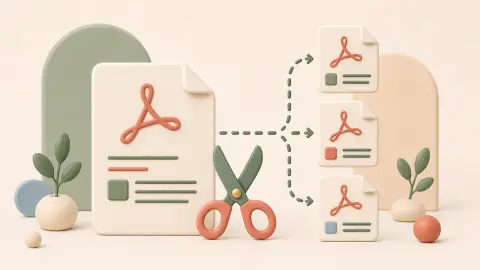
Merge, split, rotate, reorder, remove, watermark, or convert PDF pages locally in your browser.

Category guide

Image and QR tools

Resize, crop, compress, split, convert, inspect, or watermark images, calculate print size, and create downloadable QR codes without uploading your files.

Category guide

Everyday calculators

Calculate percentages, discounts, dilution, loan payments, tank volume, unit prices, salary estimates and compound growth.

Category guide

Unit converters

Convert length, weight, area, volume, temperature and pressure in your browser.

Category guide

Date calculators and timers

Calculate days or age by date and run countdown or Pomodoro timers directly in your browser.

Category guide

Random generators and team tools

Draw folded slips, roll dice, pick numbers, spin a wheel, or split names into random groups for games, classes, and activities.

Category guide

Text tools

Count, clean, restyle, encode, or decode text locally in your browser without sending the content to a server.

Category guide

Investing calculators

Estimate position size, weighted average purchase cost, dividend return, and stock or bond yield using currency-neutral planning inputs.

Category guide
Tool selection guide

Choose the tool by the task you need to finish

Most searches start with a practical problem rather than a tool name. Use the table below to pick a focused page, then read the tool-specific notes below the interface when you need examples or limits.

Task Start with When it helps
Keep only selected PDF pages PDF Split Enter page ranges and download a smaller PDF without uploading the source file.
Change an image's frame, size, or format Image tools Crop first, resize second, and convert only when the destination requires another format.
Estimate maintenance calories TDEE Calculator Start with BMR, add an activity factor, and review the limitations before adjusting food intake.
Compare products with different package sizes Unit Price Calculator Normalize weights, volumes, or item counts instead of comparing shelf prices alone.
Estimate a loan payment or tank capacity Everyday calculators Use focused inputs and review the units, rate, term, and exclusions shown with the result.
Plan a trade or compare investment yield Investing calculators Separate position risk, weighted cost, dividends, and bond yield instead of treating them as one metric.
Clean, count, style, or encode text Text tools Choose a focused operation and review the output before replacing the original text.
Pick a fair random result Random tools Choose folded slips, numbers, dice, a wheel, or groups based on the result format you need.
Browser-first workflow

Use the tool first, then read the deeper notes when needed

The interactive tool stays near the top of each tool page. The longer SEO content is placed below the tool so users can finish the task quickly and continue reading only if the examples are useful.

Practical workflow

  • Open the most specific tool page instead of starting from a large all-in-one editor.
  • Check the short instructions and examples under the tool before using sensitive or official data.
  • For files and text, review the downloaded or copied result before sending it elsewhere.
  • Use related tool links when the next step is a different task, such as crop before resize or TDEE before a calorie goal.

Privacy and limits

Tools Pocket is meant for small everyday utility tasks. For normal use, file, text, and calculator inputs stay in your browser, but official, medical, financial, legal, or security decisions should still be checked against reliable rules or professional advice.

FAQ

English tools FAQ

These answers explain how the English tool pages are organized and when to read the extra examples below each tool.

Are the English tools free to use?

Yes. The English tools are designed for quick browser-based tasks and do not require account creation.

Are my files or text uploaded to a server?

For normal tool use, selected files, pasted text, and calculator inputs are processed locally in your browser. Avoid pasting sensitive data into any online tool unless you understand the risk.

Which image tool should I use first?

Use Image Cropper when you need to change the visible frame, Image Resizer when you need a smaller size or target dimensions, and Image Converter when the file format needs to change.

Why do tools have separate English URLs?

Separate URLs make each tool easier to bookmark, share, search, and document. Each page can also include tool-specific examples, limits, FAQ, and related next steps.